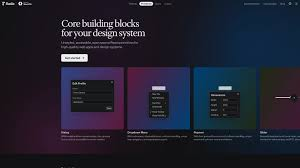
If you've been building React applications lately, you've probably heard developers raving about shadcn/ui. But what makes this component library so special, and why is it taking the development world by storm?
Unlike traditional component libraries, shadcn/ui isn't actually an npm package you install. It's a collection of beautifully designed, accessible components that you copy directly into your project. This fundamental difference is what makes it so powerful.
What Makes Shadcn/UI Different?
Traditional component libraries like Material-UI or Ant Design come with their own opinions about styling, theming, and structure. You're locked into their ecosystem, and customization often means fighting against the library's defaults.
Shadcn/ui takes a radically different approach. Instead of being a dependency, it's a collection of copy-paste components built on top of Radix UI and Tailwind CSS. You own the code completely, which means you can modify, extend, and customize it without any limitations.
Key Advantages
Complete Ownership: When you add a component, the code lives in your project. No black boxes, no mysterious npm packages, just clean, readable React code that you can modify at will.
Zero Vendor Lock-in: Since the components are in your codebase, you're never dependent on a third-party package. No more worrying about breaking changes in updates or abandoned libraries.
Built on Solid Foundations: Every component is built using Radix UI primitives for accessibility and behavior, styled with Tailwind CSS for maximum flexibility.
Type-Safe by Default: All components are written in TypeScript, giving you excellent autocomplete and type safety out of the box.
Why Developers Love It
The React community has embraced shadcn/ui for several compelling reasons:
Accessibility First
Every component is built on Radix UI, which handles all the complex accessibility features. Keyboard navigation, ARIA attributes, focus management—it's all there by default. You don't have to be an accessibility expert to build inclusive interfaces.
Customization Without Pain
Want to change how a button looks? Just open the component file and modify it. No need to override CSS classes, fight specificity wars, or dig through documentation to find the right prop.
These commands copy the component code into your project. Now you have full control:
import {
  Table,
  TableBody,
  TableCell,
  TableHead,
  TableHeader,
  TableRow,
} from "@/components/ui/table"

export function DataTable({ data }) {
  return (
    <Table>
      <TableHeader>
        <TableRow>
          <TableHead>Name</TableHead>
          <TableHead>Email</TableHead>
          <TableHead>Status</TableHead>
        </TableRow>
      </TableHeader>
      <TableBody>
        {data.map((item) => (
          <TableRow key={item.id}>
            <TableCell>{item.name}</TableCell>
            <TableCell>{item.email}</TableCell>
            <TableCell>{item.status}</TableCell>
          </TableRow>
        ))}
      </TableBody>
    </Table>
  )
}
The Technology Stack
Shadcn/ui is built on three powerful technologies:
Radix UI
Radix provides unstyled, accessible UI primitives. It handles all the complex behavior—focus trapping in modals, keyboard navigation in dropdowns, ARIA attributes everywhere. You get enterprise-grade accessibility without writing a single line of accessibility code.
Tailwind CSS
All styling is done with Tailwind utility classes. This means you can customize colors, spacing, and layouts using the same Tailwind conventions you're already familiar with. The theming system integrates seamlessly with Tailwind's color system.
Tailwind CSS
All styling is done with Tailwind utility classes. This means you can customize colors, spacing, and layouts using the same Tailwind conventions you're already familiar with. The theming system integrates seamlessly with Tailwind's color system.
CVA (Class Variance Authority)
Components use CVA for managing style variants. This gives you a clean, type-safe way to create component variations:
const buttonVariants = cva(
  "inline-flex items-center justify-center rounded-md",
  {
    variants: {
      variant: {
        default: "bg-primary text-primary-foreground hover:bg-primary/90",
        destructive: "bg-destructive text-destructive-foreground hover:bg-destructive/90",
        outline: "border border-input hover:bg-accent hover:text-accent-foreground",
      },
      size: {
        default: "h-10 px-4 py-2",
        sm: "h-9 rounded-md px-3",
        lg: "h-11 rounded-md px-8",
      },
    },

## Real-World Benefits in Development


### Faster Prototyping

When you need to build a prototype quickly, shadcn/ui accelerates your workflow. Add a few components, customize them to match your mockups, and you're done. No time wasted fighting with library constraints.


### Easier Debugging

Since the component code is in your project, debugging is straightforward. Add console.logs, set breakpoints, trace through the code—you have complete visibility into what's happening.


### Simplified Testing

Testing components becomes easier when you own the code. You can test the exact implementation in your project, not some abstracted library version. This eliminates a whole class of testing edge cases.


### Better Performance

You only include the components you actually use. There's no large bundle of components you'll never touch. Tree-shaking works perfectly because the code is directly in your project.
testing edge cases.

### Better Performance

You only include the components you actually use. There's no large bundle of components you'll never touch. Tree-shaking works perfectly because the code is directly in your project.

## Getting Started

Setting up shadcn/ui is remarkably simple:

```bash
npx shadcn@latest init
This command configures your project with the necessary dependencies and sets up the component structure. Then you can add components as needed:
npx shadcn@latest add button

## When Should You Use It?

Shadcn/ui is perfect for:

**New Projects**: Starting fresh? Shadcn/ui provides a solid foundation without locking you into specific design decisions.

**Design Systems**: Building a custom design system? Use shadcn/ui components as your starting point and modify them to match your brand.

**Products Needing Customization**: If your product requires unique UI patterns, having full control over component code is invaluable.

**Teams Valuing Code Ownership**: Teams that prefer owning their dependencies rather than relying on third-party packages benefit greatly.


## The Future of Component Libraries

Shadcn/ui represents a shift in how we think about component libraries. Instead of pulling in massive dependencies, we're moving toward owning our UI code while leveraging proven patterns and accessible implementations.

This approach gives you the best of both worlds: the speed of using pre-built components with the flexibility of custom code. You're not constrained by a library's opinions, but you're also not starting from scratch.


## The Future of Component Libraries

Shadcn/ui represents a shift in how we think about component libraries. Instead of pulling in massive dependencies, we're moving toward owning our UI code while leveraging proven patterns and accessible implementations.

This approach gives you the best of both worlds: the speed of using pre-built components with the flexibility of custom code. You're not constrained by a library's opinions, but you're also not starting from scratch.

## Conclusion

Shadcn/ui has fundamentally changed how many developers approach UI development in React. By giving you complete ownership of your components while providing a solid, accessible foundation, it eliminates many of the frustrations that come with traditional component libraries.

Whether you're building a small project or a large-scale application, shadcn/ui offers a modern, flexible approach to UI development. The combination of accessibility, customization, and developer experience makes it an excellent choice for React projects of any size.

If you haven't tried shadcn/ui yet, now is the perfect time. Start with a single component, see how it feels, and experience the difference that owning your UI code can make.